Affiliate disclosure: This article contains affiliate links. We may earn a commission if you subscribe through them, at no extra cost to you.
QuillBot has grown from a focused paraphrasing tool into a broad writing platform. Its current toolkit includes grammar correction, summarization, translation, citation tools, plagiarism checking, AI detection, and an AI Humanizer alongside the familiar Paraphraser. That range can be convenient, but it also makes the choice between Free and Premium less obvious.
This QuillBot review is a fact-based overview built from current official product pages and help documentation. I did not purchase Premium or test every feature, so I will distinguish documented capabilities from independent results and focus on what each tool is designed to do, its limits, and the practical questions to ask before subscribing.
Quick Verdict
QuillBot is most appealing to people who regularly revise text and prefer several writing utilities in one account. The Free plan is useful enough to evaluate the core workflow: it includes 125-word paraphrasing, Standard and Fluency modes, basic grammar help, limited AI Humanizer and AI Detector access, and summaries of up to 1,200 words.
Premium makes more sense for longer or frequent work. It removes the Paraphraser input limit, expands modes, raises the Summarizer limit to 6,000 words, removes stated Humanizer and AI Detector limits, and adds the Plagiarism Checker allowance. It does not replace careful editing, source verification, or responsible disclosure of AI assistance.
What Is QuillBot?
QuillBot is an online writing platform operated by Learneo. Its tools help users rephrase, correct, shorten, translate, analyze, and cite text. You can use core tools in a browser, while QuillBot also offers extensions and apps for writing in other environments.
The platform is not an autonomous replacement for a writer. Its value is strongest as an editing layer: you provide or review the source material, choose a suitable tool, and decide whether the output preserves the intended meaning and meets the rules of your school, workplace, publisher, or client.
QuillBot’s Main Features
- Paraphraser: rewrites text with selectable modes and synonym controls.
- Grammar Checker: identifies grammar, spelling, and punctuation issues.
- AI Humanizer: adjusts wording, sentence structure, clarity, and flow.
- AI Detector: estimates patterns associated with AI-generated or AI-refined writing.
- Summarizer: condenses source material into paragraphs or bullet points.
- Plagiarism Checker: checks Premium users’ text for potential matching material.
- Translator and Citation Generator: support multilingual work and formatted references.
QuillBot Paraphraser
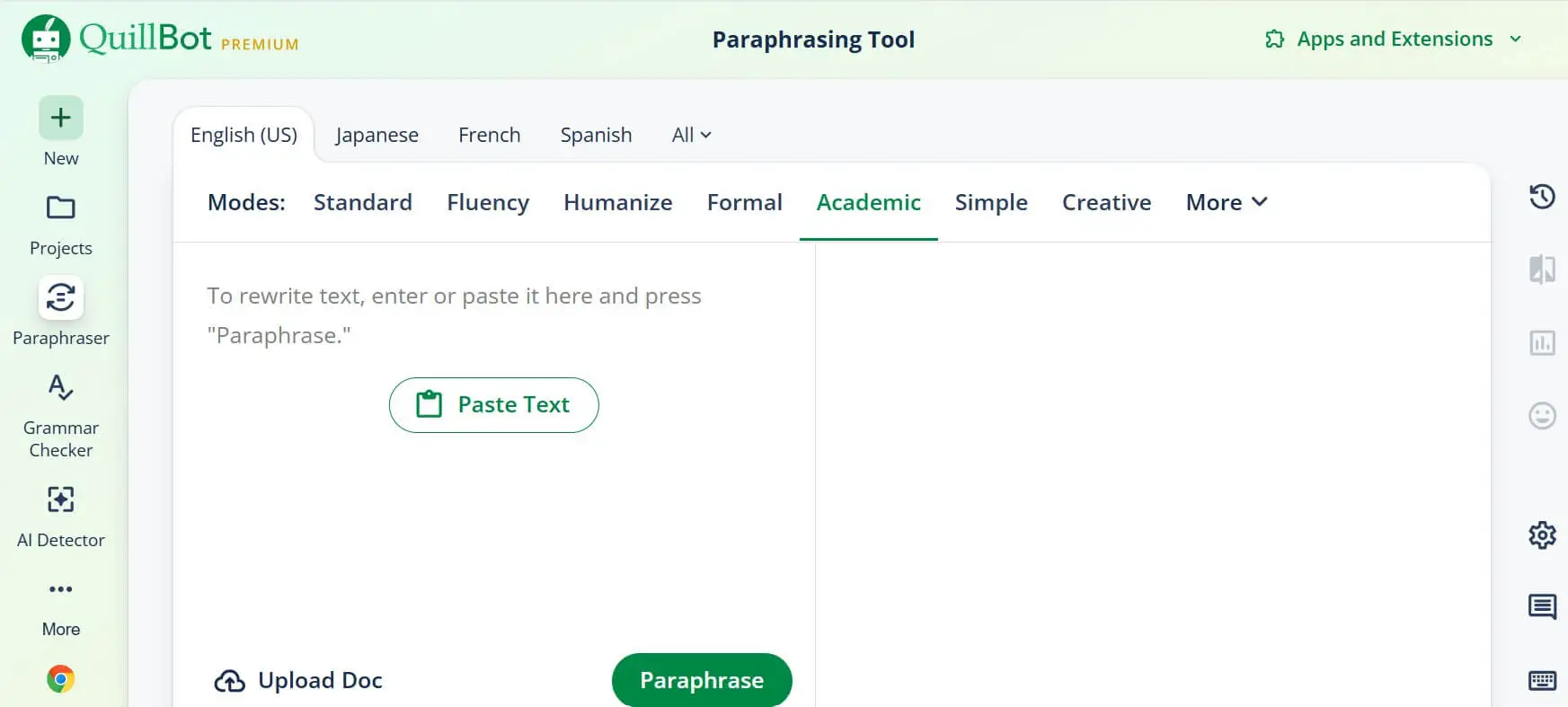
The Paraphraser is QuillBot’s defining feature. Paste text into the input panel, select a mode, and review a rewritten version in the output panel. Standard aims for a balanced rewrite, while Fluency focuses on natural, grammatically correct language. The synonym control lets you influence how aggressively wording changes.
Free users can process up to 125 words at a time and use Standard and Fluency. QuillBot’s current comparison lists nine unique modes for Premium, unlimited Paraphraser input, Compare Modes, Custom modes, and history. Unlimited input is convenient, but a longer text still needs human review for meaning, terminology, quotations, and citations.
Placement: directly after the Paraphraser explanation.
Alt text: QuillBot Paraphraser interface in 2026
Caption: QuillBot Paraphraser interface. Source: QuillBot.
Grammar Checker
QuillBot’s Grammar Checker is intended to catch spelling, punctuation, and grammatical problems. The Free plan includes basic grammar correction; Premium adds advanced writing suggestions and tone insights. This can be useful for emails, assignments, articles, and professional documents, particularly when you want correction and paraphrasing in the same workspace.
Suggestions should remain suggestions. A checker may misunderstand a deliberate style choice, specialist vocabulary, dialogue, or regional usage. Review changes individually instead of accepting every recommendation automatically.
AI Humanizer
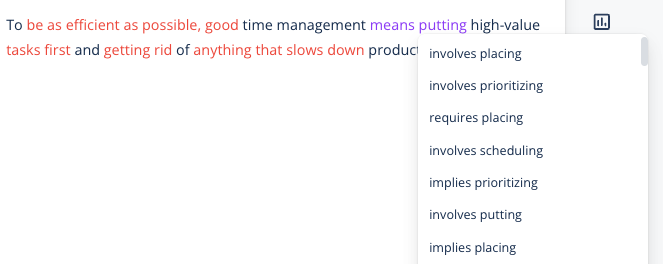
The AI Humanizer changes word choice, sentence length, structure, and flow to make stiff text read more naturally. QuillBot currently lists basic humanizing for texts of up to 125 words on Free, with six uses per day on its Premium comparison page. Premium is described as having no word or usage limit, plus tone insights and Humanizer history.
A responsible use is improving the clarity and natural flow of your own draft. It is not a license to disguise copied work, evade academic rules, or present another person’s ideas as your own. Follow school and employer policies, copyright requirements, and any obligation to disclose AI assistance. Check every rewrite because preserving your intended meaning remains your responsibility.
Placement: directly after the responsible-use paragraph.
Alt text: QuillBot AI Humanizer interface in 2026
Caption: QuillBot AI Humanizer interface. Source: QuillBot.
AI Detector and Plagiarism Checker
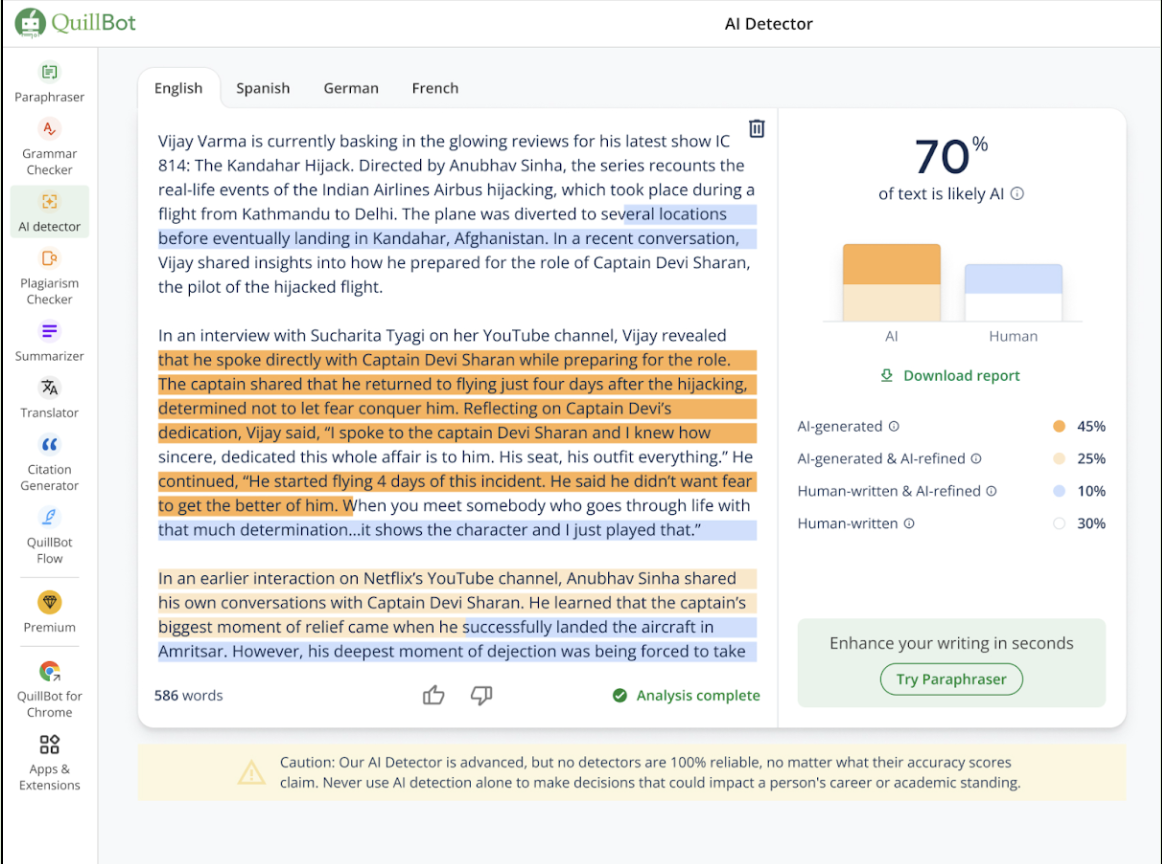
QuillBot’s AI Detector analyzes text and returns an estimate of whether patterns resemble AI-generated or AI-refined writing. The current official comparison allows Free users up to 1,200 words and 10 scans per day, while Premium lists unlimited use. Premium also makes batch-oriented work more convenient.
An AI detection result is probabilistic, not definitive proof. Human writing can be flagged, AI-assisted writing can be missed, and editing may change the score. A detector result should never be the sole evidence in an academic, hiring, disciplinary, or workplace decision. Use it as one signal that may justify a careful conversation and further review.
Placement: directly after the AI Detector reliability warning.
Alt text: QuillBot AI Detector interface in 2026
Caption: QuillBot AI Detector interface. Results are estimates, not definitive proof. Source: QuillBot.
The Plagiarism Checker serves a different purpose: it looks for similarities with existing material rather than estimating AI authorship. It is not included in Free. QuillBot says Premium includes checks for up to 25,000 words per month, with additional word packs available. A similarity report still requires interpretation and correct citation; a percentage alone does not establish intent.
Summarizer, Translator, and Citation Tools
The Summarizer condenses longer material into a paragraph or bullet points. Free supports inputs of up to 1,200 words, while Premium raises the documented input limit to 6,000 words and adds Custom summaries. It can help identify a document’s main structure, but it may omit nuance, qualifications, or supporting evidence. Read the source whenever accuracy matters.
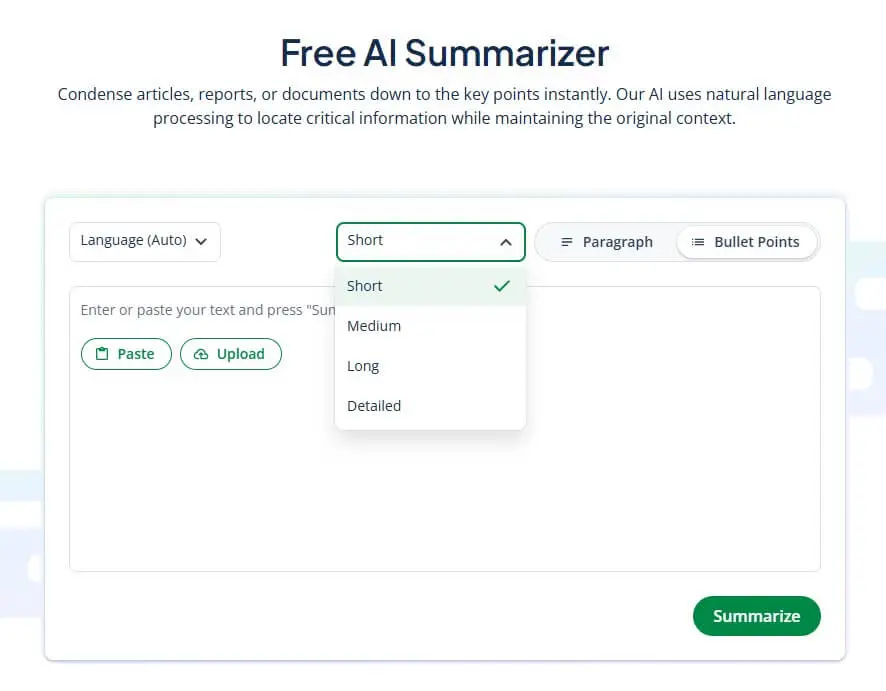
Placement: directly after the Summarizer limits and accuracy paragraph.
Alt text: QuillBot Summarizer interface in 2026
Caption: QuillBot Summarizer interface. Source: QuillBot.
QuillBot also offers translation and citation tools. Its Premium page currently describes translation into more than 40 languages, with a 5,000-character Free limit and unlimited Premium use. Citation tools can format references, but users should verify author names, publication details, dates, URLs, and the required citation style against the original source.
Extensions, Apps, and the Wider QuillBot Toolkit
QuillBot lists browser extensions for Chrome, Edge, and Safari; desktop options for Windows and macOS; mobile apps and keyboards for Android and iOS; and a Microsoft Word add-in. Availability or behavior can differ by platform, so check the relevant official store page before installing.
The wider toolkit now extends beyond editing into AI chat, image generation, presentations, document tools, and QuillBot Flow. Breadth is useful if you want one subscription, but it should not distract from evaluating the specific tools you will actually use.
QuillBot Free vs Premium
| Feature | Free | Premium |
|---|---|---|
| Paraphraser | 125 words; Standard and Fluency | Unlimited input; 9 unique modes |
| AI Humanizer | 125 words; 6 uses/day | Unlimited words and usage |
| AI Detector | 1,200 words; 10 scans/day | Unlimited |
| Summarizer | 1,200-word input | 6,000-word input; Custom summaries |
| Plagiarism Checker | Not included | 25,000 words/month |
| Grammar support | Basic corrections | Advanced suggestions and tone insights |
Free is a sensible starting point for occasional short passages. Premium’s value comes mainly from removing repeated limits and combining advanced features. Someone who only needs a basic grammar checker may not benefit enough to subscribe, while a student, editor, or content professional handling longer text may appreciate the consolidated workflow.
QuillBot Pricing in 2026
Pricing was checked on August 3, 2026. QuillBot localizes pricing by region. Its Premium page displayed an annual price equivalent of €8.33 per month in this review’s region, billed annually. QuillBot’s current official pricing FAQ listed the following US-dollar options. Prices, taxes, renewal terms, and regional offers can change, so confirm the checkout total before paying.
| Plan | Displayed price | Billing |
|---|---|---|
| Monthly | $19.95 | Charged monthly |
| Quarterly | $13.31/month equivalent | $39.95 charged every 3 months |
| Annual | $8.33/month equivalent | $99.95 charged every 12 months |
The lower monthly equivalents are not month-to-month prices: the full multi-month amount is billed for the selected term. Subscriptions generally renew automatically until canceled. QuillBot says eligible new users can request a refund under its 14-day money-back guarantee, subject to stated conditions, and that subscriptions can be paused. Review the live terms and account controls before purchase or cancellation.
QuillBot Pros and Cons
Pros
- Useful Free tier for evaluating core tools
- Paraphrasing, grammar, summaries, and citations in one platform
- Clear input limits in the official plan comparison
- Apps and extensions for multiple writing environments
- Premium removes several limits for frequent users
Cons
- Free Paraphraser limit is restrictive for long documents
- Best modes and Plagiarism Checker require Premium
- Generated rewrites can alter nuance or terminology
- AI Detector results cannot establish authorship with certainty
- Localized prices make the final cost dependent on region
Who Is QuillBot Best For?
- Students refining their own writing while following academic-integrity rules
- Non-native English writers improving clarity and fluency
- Professionals polishing emails, reports, and presentations
- Editors and content creators comparing alternative wording
- Researchers creating first-pass summaries while checking original sources
If writing tools are part of a broader content workflow, our Writesonic review provides a useful comparison with a platform focused more heavily on content generation and SEO.
Limitations and Responsible Use
QuillBot can propose language, but it cannot guarantee factual accuracy, originality, appropriate citation, or compliance with a particular policy. Paraphrasing a source does not remove the obligation to credit its ideas. A plagiarism score is not a substitute for reviewing citations, and an AI Detector score is not proof of who wrote a passage.
Use the Humanizer to improve clarity and flow in work you are entitled to edit. Preserve quotations, check claims against primary sources, disclose AI assistance where required, and make the final wording genuinely yours through thoughtful review.
QuillBot Alternatives
Grammarly emphasizes grammar, style, and writing assistance across apps. Wordtune focuses on rewrites and tonal alternatives. DeepL Write combines language refinement with DeepL’s translation ecosystem. Jasper and Writesonic lean more toward marketing-content generation. This is an orientation rather than a current price comparison; compare official feature and pricing pages for the workflow you need.
Frequently Asked Questions
Is QuillBot free?
Yes. Core tools have Free access with limits, including 125-word paraphrasing and summaries up to 1,200 words.
Is QuillBot Premium unlimited?
Premium lists unlimited Paraphraser, Humanizer, and AI Detector use, but other features retain limits. The Summarizer accepts up to 6,000 words per input, and plagiarism checking includes 25,000 words per month.
Is QuillBot’s AI Detector accurate?
It provides an estimate, not a guaranteed determination. Do not use its score as the sole evidence for a consequential decision.
Does QuillBot include a plagiarism checker?
The Plagiarism Checker is a Premium feature with a stated allowance of 25,000 words per month.
Can students use QuillBot responsibly?
Yes, for tasks such as improving clarity in their own drafts, but students must follow institutional rules, cite sources, and disclose AI assistance when required.
Does QuillBot work outside its website?
QuillBot offers browser extensions, desktop and mobile options, keyboards, and a Word add-in. Check the official app page for current compatibility.
Final Verdict
QuillBot offers a practical collection of editing tools with a Free plan that makes the core workflow easy to evaluate. Its Paraphraser remains the center of the product, while Grammar Checker, Humanizer, Summarizer, citations, and cross-platform apps make the overall package more versatile.
Premium is best justified by regular use of longer inputs, advanced modes, or plagiarism checking—not by an assumption that every suggestion will be correct. Try the Free limits with real, non-sensitive text, review the outputs critically, and compare the final checkout price with how often you expect to use the tools.